

























Buying a car online is now easier than ever. You can compare prices, check photos, apply for financing, sign papers, and get the car delivered to your home. But it also comes with risk.Many buyers search for a car online and have it delivered because they want comfort, but they also want safety. They want to know if the seller is real, if the car is clean, if the delivery fee is fair, and if they can return the car after delivery.The good news is simple: you can buy a car online safely if you slow down, check the details, and never pay before you understand the full deal.This guide will help you buy smart, avoid scams, and feel more confident before the car reaches your driveway.
How to Buy a Car Online and Have It Delivered: Simple Guide
Buying a car online is not only about choosing a car from a website. It is a full process. You need to check the seller, compare the price, inspect the car history, review payment terms, understand delivery, and read the paperwork before you say yes.Start with your budget. Do not only look at the monthly payment. Look at the full price of the car, taxes, title fees, registration, delivery cost, insurance, loan interest, and any dealer fees.
Before you choose a car, ask yourself:
- What type of car do I need?
- How much can I afford each month?
- Will I buy new, used, or certified pre-owned?
- Do I need financing?
- How far is the car from my home?
- Does the seller offer home delivery?
- Is there a return policy?
Once you know your budget, compare similar cars. Check the year, mileage, trim level, accident history, service records, and warranty. A low price can look good online, but it may not be a good deal if the car has hidden issues.When you find a car you like, ask for the full out-the-door price in writing. This should include the vehicle price, taxes, dealer fees, delivery charges, document fees, and any add-ons. Do not trust only the price shown in the online listing.After that, ask for clear photos, a video walkaround, a vehicle history report, the VIN, and a copy of the window sticker or buyer information. For used cars from dealers, the FTC says dealers must display a Buyers Guide, which tells buyers important warranty information and whether the vehicle is sold “as is.”Only move forward when every detail is clear.
Is It Safe to Buy a Car Online Without Visiting a Dealer?
Yes, it can be safe to buy a car online without visiting a dealer, but only if you protect yourself before paying.The biggest risk is not the online process. The biggest risk is trusting the wrong seller. Some fake listings use stolen photos, fake dealer websites, low prices, pressure tactics, and unsafe payment methods.
- A safe online car purchase should have:
- A real dealer or verified seller
- A clear VIN
- A real vehicle history report
- A written-out-the-door price
- A secure payment method
- A signed purchase agreement
- A clear delivery date
- A return or cancellation policy in writing
- A proper title and registration process
- A trusted seller will not rush you. They will answer your questions, share documents, explain fees, and give you time to review everything.
Be careful if the seller says the car is in another state, asks for payment by gift card, asks for a wire transfer before paperwork, avoids phone calls, refuses inspection, or says many buyers are waiting.Also, remember that return rights can be limited. The FTC says federal law does not require dealers to give buyers three days to cancel a car purchase. Some states have different rules, and some dealers offer their own return policy, but you need it in writing before you buy.So before buying online, ask this simple question:“Can you send me the return policy, delivery terms, and final price in writing?”If the answer is not clear, pause the deal.
Steps to Check the Car Before You Pay Online
Before you pay for any car online, you need to check the car carefully. Photos can hide problems. A clean-looking car can still have accident damage, title issues, open recalls, or mechanical problems.
1. Check the VIN
The VIN is the car’s unique identification number. Ask the seller for the VIN before you agree to buy. The VIN should match the listing, title, history report, and vehicle photos.Use the VIN to check basic details like year, make, model, title history, accident history, and recall status.NHTSA lets buyers check for open safety recalls by VIN or license plate. It also explains that the VIN is usually found on the lower-left side of the windshield, registration card, or insurance card.
2. Review the Vehicle History Report
A vehicle history report can show past accidents, title brands, mileage records, service history, ownership changes, and possible flood or salvage records.But do not depend on the report alone. A report may miss repairs that were never reported. Use it as one part of your research, not the final answer.
Look for red flags like:
- Salvage title
- Rebuilt title
- Flood damage
- Mileage rollback
- Major accident history
- Many owners in a short time
- Open liens
- Taxi, rental, or fleet use
If the report has missing records or confusing details, ask the seller for proof.
3. Ask for a Video Walkaround
Ask the seller to send a fresh video of the car. The video should show the exterior, interior, tires, dashboard, engine bay, trunk, odometer, warning lights, and startup sound.Also, ask them to show small details like scratches, dents, tire wear, seat condition, dashboard lights, and underbody rust, if possible.A real seller should not be afraid to show the car clearly.
4. Get a Pre-Purchase Inspection
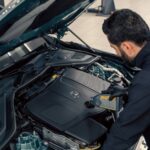
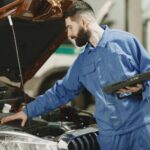
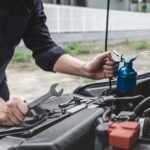
For a used car, a pre-purchase inspection is one of the smartest steps. You can hire a local mechanic or a mobile inspection service near the seller. The inspector can check the brakes, tires, engine, transmission, leaks, suspension, warning lights, frame damage, and overall condition.This small cost can save you from buying a car with expensive problems.
5. Compare the Market Price
Do not buy only because the price looks low. Compare similar cars by year, mileage, trim, condition, and location.If the price is much lower than that of similar cars, ask why. Sometimes it is a good deal. Sometimes it is a warning sign.A safe deal should make sense.
What to Know About Delivery, Shipping Fees, and Paperwork
Delivery is one of the main reasons people buy cars online. But before you agree to delivery, make sure you understand how it works.Some dealers offer free local delivery. Some charge based on distance. Some use third-party transport companies. Some delivery fees are non-refundable. Always ask for the delivery cost before signing.
You should know:
- Who is delivering the car?
- Is the delivery an open trailer or an enclosed trailer?
- When will the car arrive?
- Is the delivery insured?
- Who handles damage during transport?
- Can you inspect the car before accepting it?
- Is the delivery fee refundable if you return the car?
- Ask the seller to confirm delivery terms in writing.
Check the Paperwork Before Delivery
Before the car is delivered, review all documents. This may include:
- Purchase agreement
- Out-the-door price sheet
- Loan agreement
- Warranty details
- Return policy
- Delivery agreement
- Title documents
- Registration papers
- Insurance requirements
- Temporary tags
Do not sign anything you do not understand. Make sure the final price matches what you agreed to online.Also, check for add-ons. Some dealers may offer protection plans, service contracts, gap insurance, paint protection, tire coverage, or extended warranties. Some may be useful, but they should not be forced into the deal.Ask the seller to remove anything you did not approve.
Inspect the Car at Delivery
When the car arrives, do not rush. Check the car before accepting it.
Look for:
- New scratches or dents
- Tire condition
- Interior damage
- Dashboard warning lights
- Mileage
- Keys and manuals
- Spare tire or repair kit
- Charging cables are electric
Title and delivery papers
Take photos and videos at delivery. If there is damage, report it right away before signing the final delivery confirmation.
Mistakes to Avoid When Buying a Car Online
Buying online can save time, but small mistakes can cost money. Avoid these common errors.
Mistake 1: Paying Too Early
Never send full payment before you have checked the seller, documents, VIN, final price, and delivery terms. Safe sellers give you time to review the deal.
Mistake 2: Ignoring the Full Price
The listed price is not always the final price. Always ask for the out-the-door price. This helps you see taxes, title fees, document fees, dealer fees, delivery charges, and add-ons.
Mistake 3: Skipping the Inspection
Photos are not enough. A used car can look clean online but still have mechanical problems. Get an inspection when possible.
Mistake 4: Not Reading the Return Policy
Some online sellers offer a return window, while others do not. In certain cases, returns are only allowed within a specific mileage or time limit.Ask for the policy in writing before paying.
Mistake 5: Trusting a Deal That Looks Too Cheap
Very low prices can be a trap. Scammers often use low prices to make buyers act fast. Compare the market before you send money.
Mistake 6: Not Checking Recalls
An open recall does not always mean you should avoid the car, but you should know about it before buying. Check the VIN and ask if recall repairs have been completed.
Mistake 7: Forgetting Insurance
You may need insurance before the car is delivered or before registration is completed. Get insurance quotes before you buy so you know the real monthly cost.
Final Thoughts
You can buy a car online and have it delivered safely, but you need to follow the right steps.Start with your budget. Compare cars. Check the VIN. Review the vehicle history report. Ask for the full price in writing. Confirm delivery fees. Read the paperwork. Understand the return policy. Inspect the car when it arrives.A good online car deal should feel clear, not rushed. If the seller avoids questions, hides fees, refuses inspection, or pressures you to pay fast, walk away.Buying a car online should make life easier, not riskier. Take your time, check every detail, and only move forward when you feel fully confident.
FAQs
Can I buy a car online and have it delivered to my home?
Yes, many dealers and online car sellers allow you to buy a car online and have it delivered to your home. Before buying, confirm the delivery fee, delivery date, insurance coverage, return policy, and final paperwork.
Is buying a car online safe?
Buying a car online can be safe if you choose a trusted seller, check the VIN, review the vehicle history report, get the full price in writing, use secure payment methods, and understand the return policy before paying.
What should I check before buying a car online?
Check the VIN, title status, accident history, mileage, service records, recall status, seller reviews, inspection report, warranty, delivery terms, final price, and return policy.
How much does it cost to have a car delivered?
Car delivery cost depends on distance, location, vehicle size, transport type, and seller policy. Some dealers offer free local delivery, while long-distance shipping usually costs extra. Always ask for the delivery fee in writing before you sign.
Can I return a car after online delivery?
It depends on the seller and your state rules. Some online sellers offer a return window, but not every dealer does. The safest step is to ask for the return policy in writing before you buy.
